
| This post originally appeared on the Rittman Mead blog. |
One of the big changes in OBIEE 12c for end users is the ability to upload their own data sets and start analysing them directly, without needing to go through the traditional data provisioning and modelling process and associated leadtimes. The implementation of this is one of the big architectural changes of OBIEE 12c, introducing the concept of the Extended Subject Areas (XSA), and the Data Set Service (DSS).
In this article we’ll see some of how XSA and DSS work behind the scenes, providing an important insight for troubleshooting and performance analysis of this functionality.
What is an XSA? 🔗
An Extended Subject Area (XSA) is made up of a dataset, and associated XML data model. It can be used standalone, or "mashed up" in conjunction with a "traditional" subject area on a common field
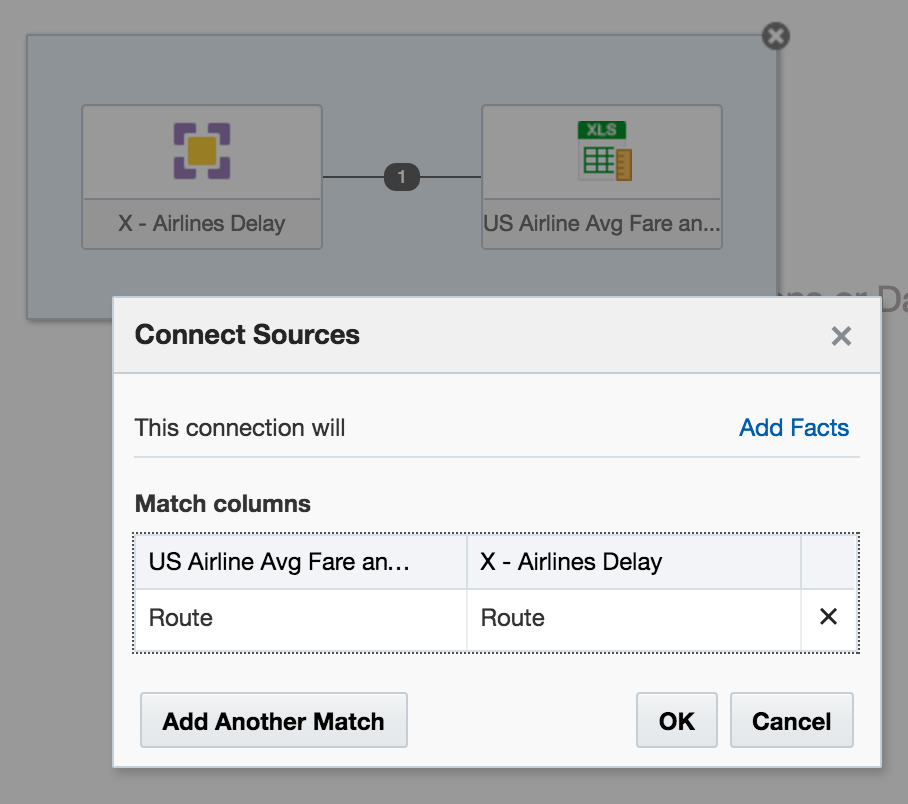
How is an XSA Created? 🔗
At the moment the following methods are available:
-
"Add XSA" in Visual Analzyer, to upload an Excel (XLSX) document
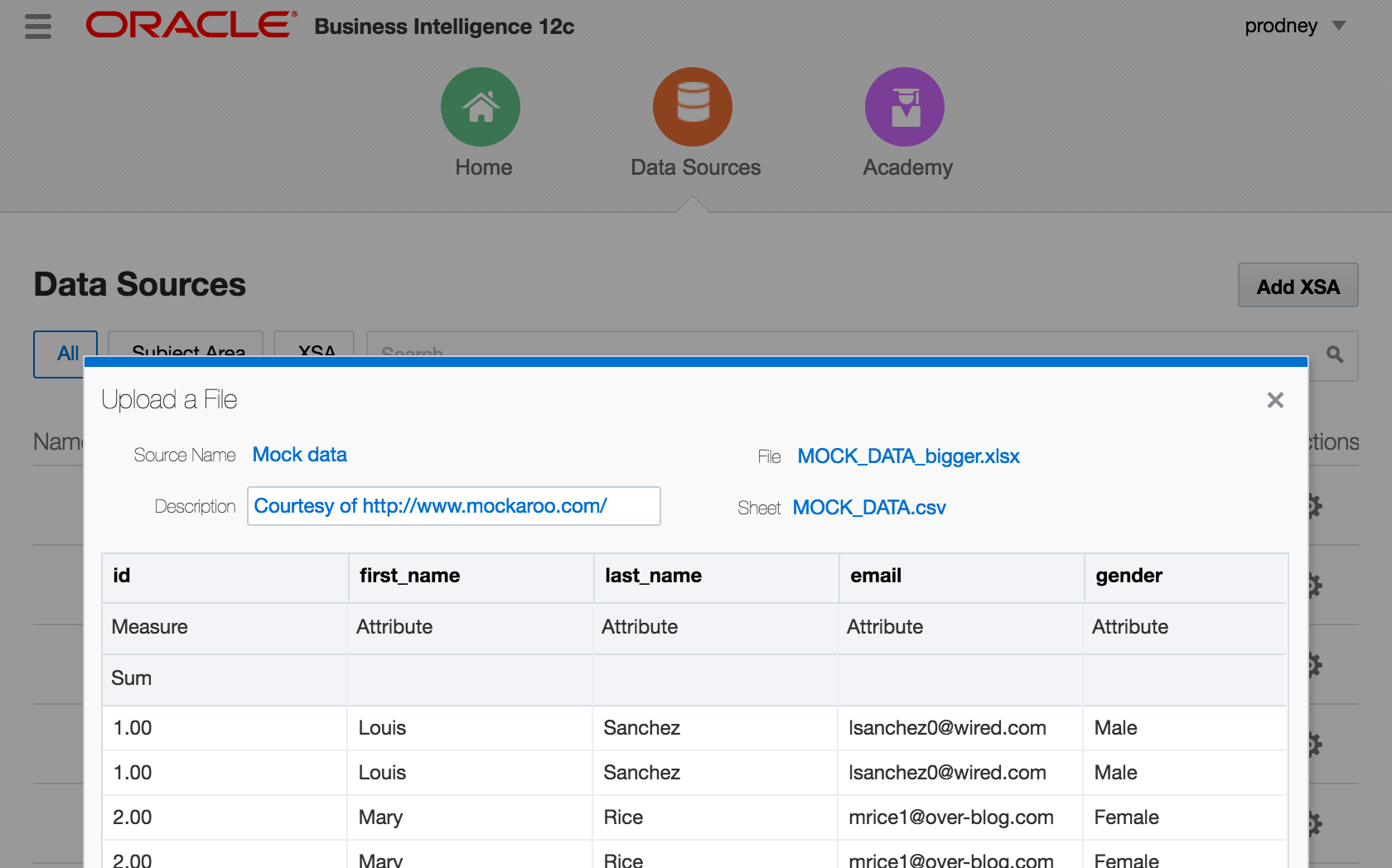
-
CREATE DATASETlogical SQL statement, that can be run through any interface to the BI Server, including 'Issue Raw SQL', nqcmd, JDBC calls, and so on
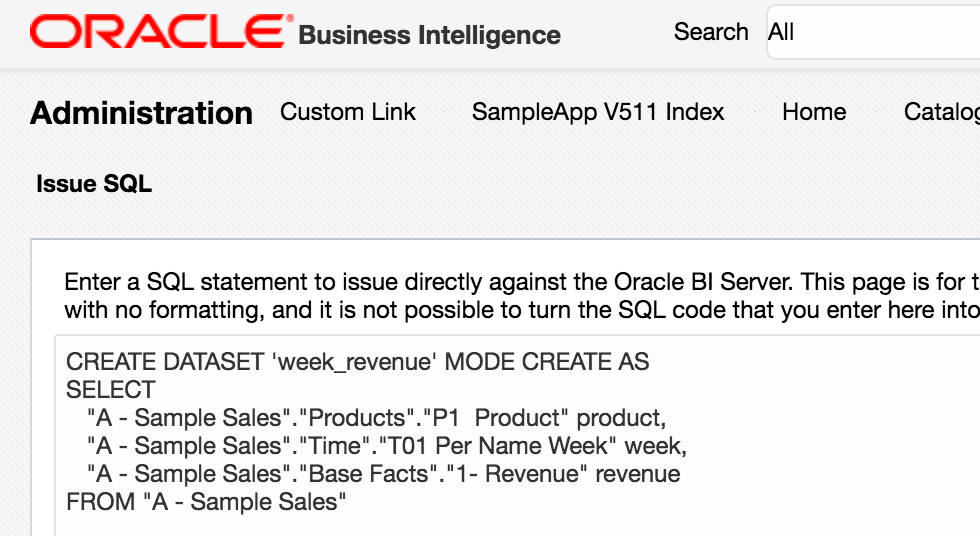
-
Add Data Source in Answers. Whilst this option shouldn’t actually be present according to a this doc, it will be for any users of 12.2.1 who have uploaded the SampleAppLite BAR file so I’m including it here for completeness.
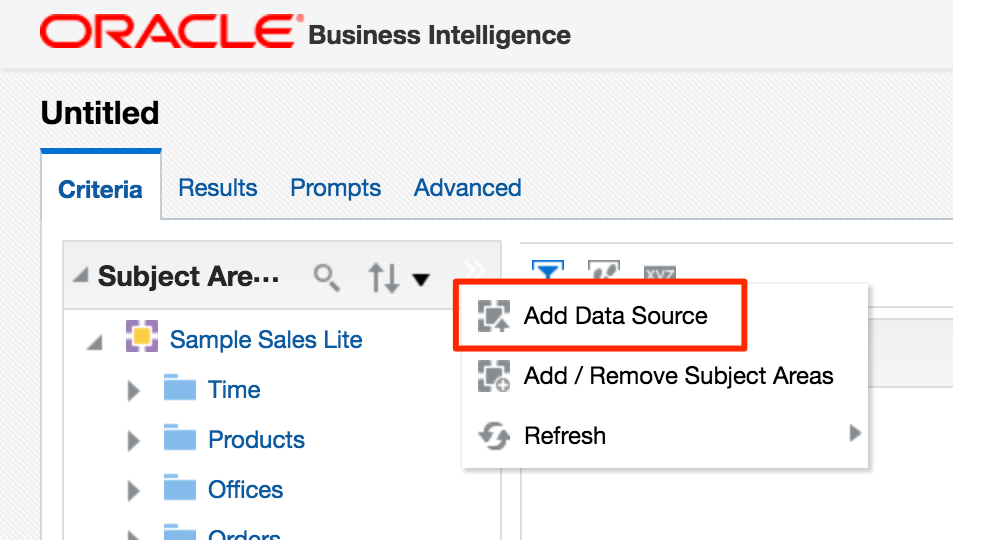
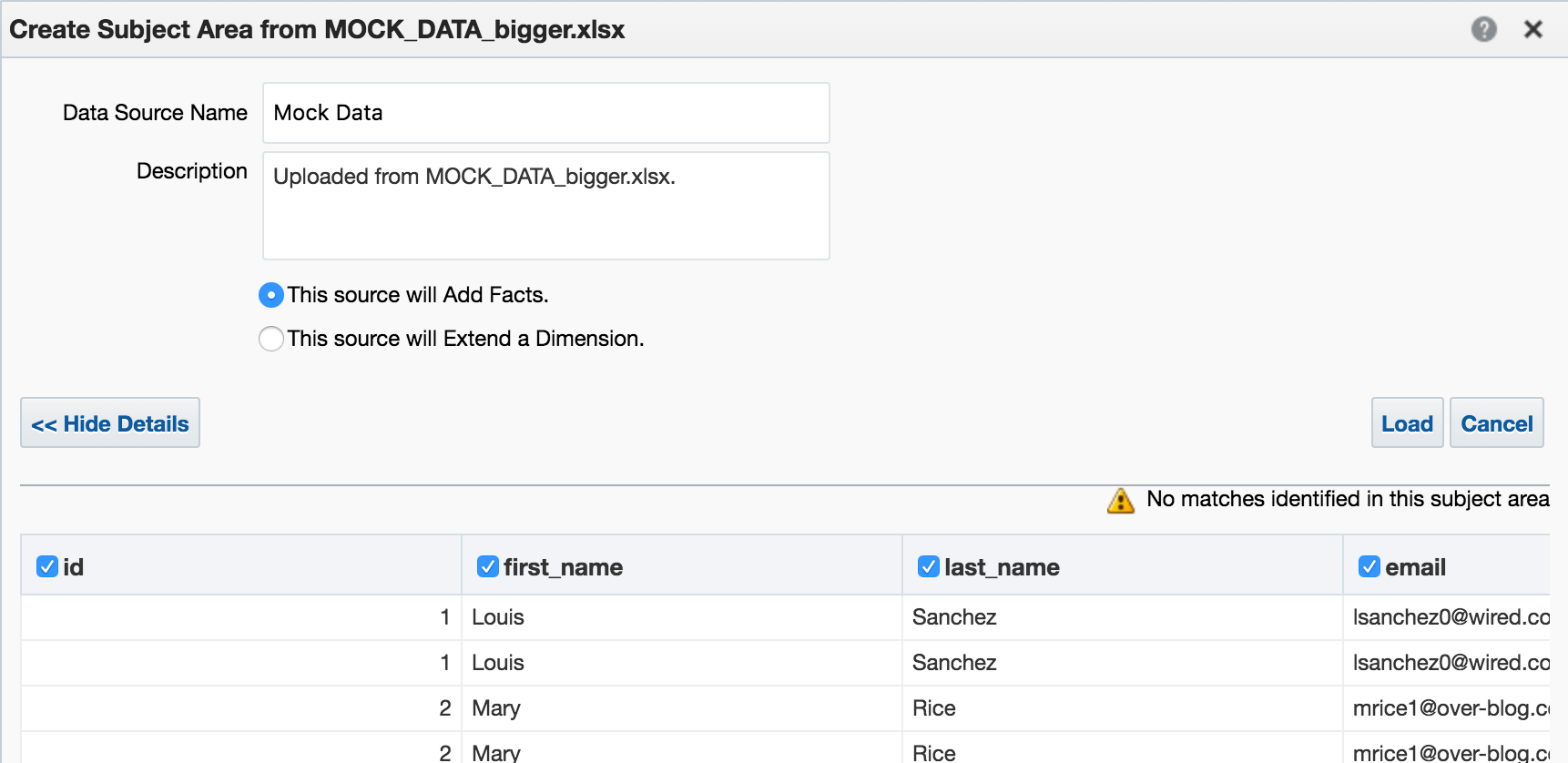
Under the covers, these all use the same REST API calls directly into datasetsvc. Note that these are entirely undocumented, and only for internal OBIEE component use. They are not intended nor supported for direct use.
How does an XSA work? 🔗
External Subject Areas (XSA) are managed by the Data Set Service (DSS). This is a java deployment (datasetsvc) running in the Managed Server (bi_server1), providing a RESTful API for the other OBIEE components that use it.
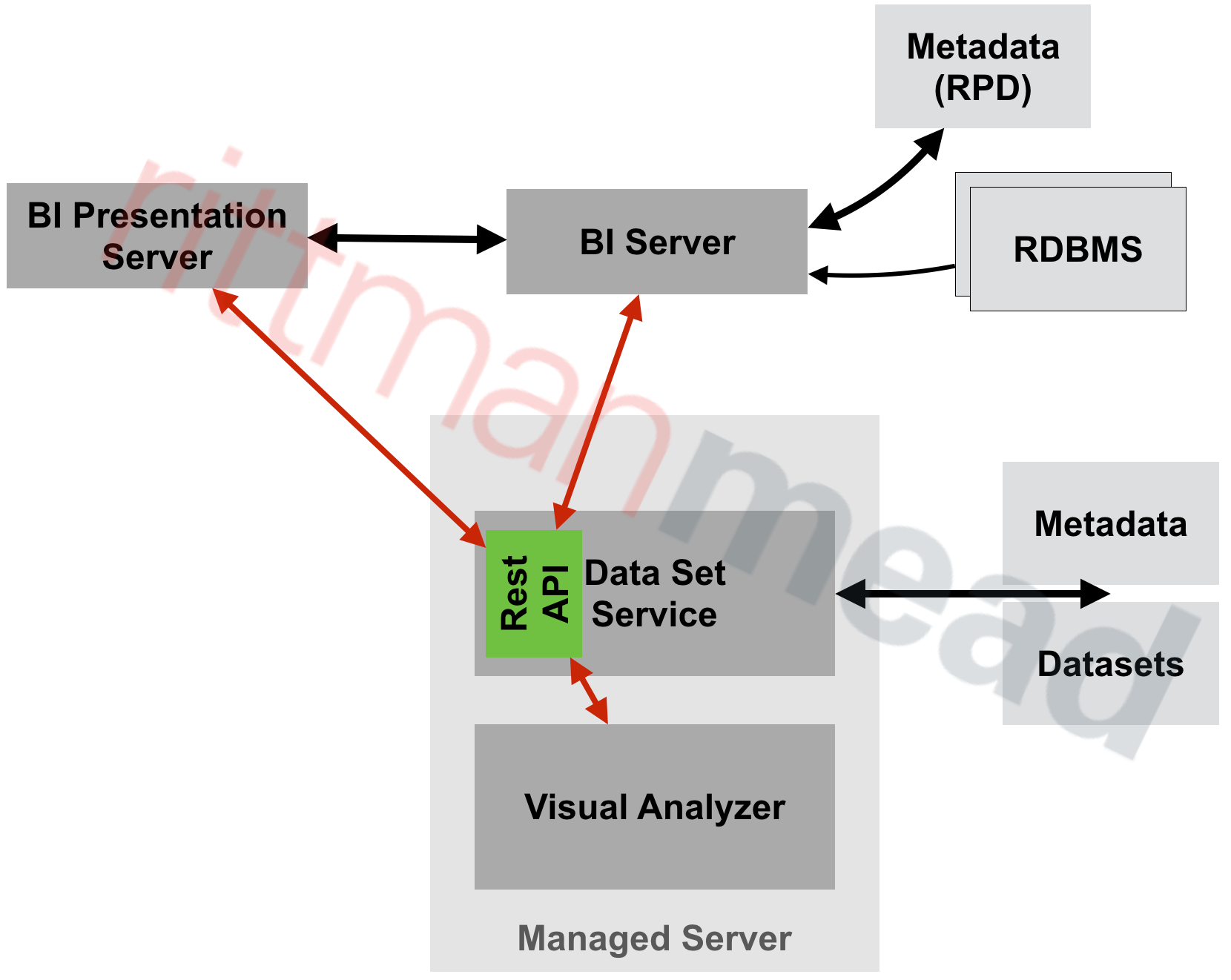
The end-user of the data, whether it’s Visual Analyzer or the BI Server, send REST web service calls to DSS, storing and querying datasets within it.
Where is the XSA Stored? 🔗
By default, the data for XSA is stored on disk in SINGLETON_DATA_DIRECTORY/components/DSS/storage/ssi, e.g. /app/oracle/biee/user_projects/domains/bi/bidata/components/DSS/storage/ssi
[oracle@demo ssi]$ ls -lrt /app/oracle/biee/user_projects/domains/bi/bidata/components/DSS/storage/ssi|tail -n5
-rw-r----- 1 oracle oinstall    8495 2015-12-02 18:01 7e43a80f-dcf6-4b31-b898-68616a68e7c4.dss
-rw-r----- 1 oracle oinstall  593662 2016-05-27 11:00 1beb5e40-a794-4aa9-8c1d-5a1c59888cb4.dss
-rw-r----- 1 oracle oinstall  131262 2016-05-27 11:12 53f59d34-2037-40f0-af21-45ac611f01d3.dss
-rw-r----- 1 oracle oinstall 1014459 2016-05-27 13:04 a4fc922d-ce0e-479f-97e4-1ddba074f5ac.dss
-rw-r----- 1 oracle oinstall 1014459 2016-05-27 13:06 c93aa2bd-857c-4651-bba2-a4f239115189.dss
They’re stored using the format in which they were created, which is XLSX (via VA) or CSV (via CREATE DATASET)
[oracle@demo ssi]$ head 53f59d34-2037-40f0-af21-45ac611f01d3.dss
"7 Megapixel Digital Camera","2010 Week 27",44761.88
"MicroPod 60Gb","2010 Week 27",36460.0
"MP3 Speakers System","2010 Week 27",36988.86
"MPEG4 Camcorder","2010 Week 28",32409.78
"CompCell RX3","2010 Week 28",33005.91
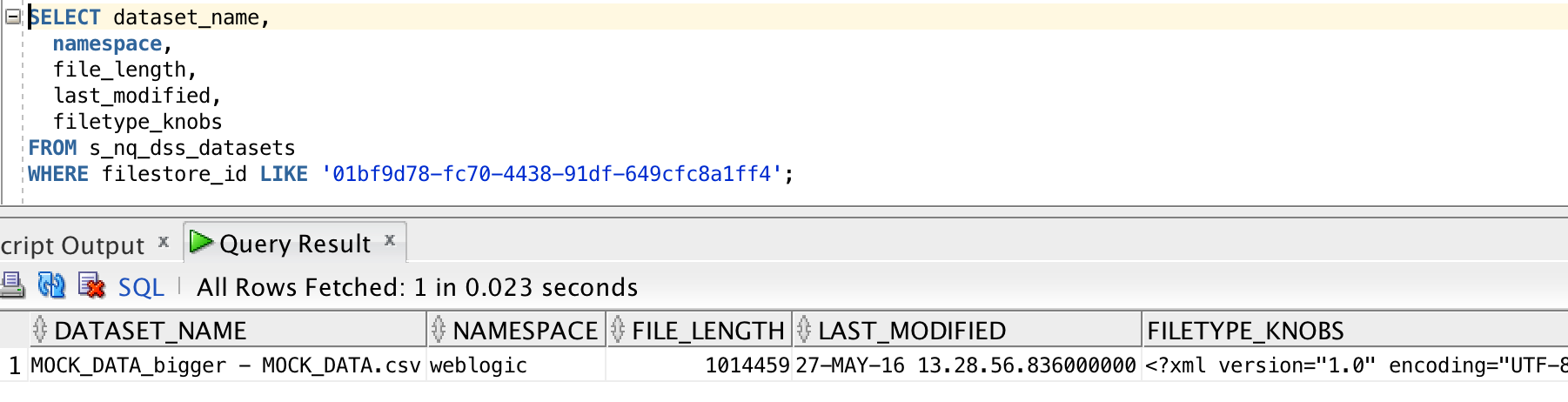
There’s a set of DSS-related tables installed in the RCU schema BIPLATFORM, which hold information including the XML data model for the XSA, along with metadata such as the user that uploaded the file, when they uploaded, and then name of the file on disk:
How Can the Data Set Service be Configured? 🔗
The configuration file, with plenty of inline comments, is at ORACLE_HOME/bi/endpointmanager/jeemap/dss/DSS_REST_SERVICE.properties. From here you con update settings for the data set service including upload limits as detailed here.
XSA Performance 🔗
Since XSA are based on flat files stored in disk, we need to be very careful in their use. Whilst a database may hold billions of rows in a table with with appropriate indexing and partitioning be able to provide sub-second responses, a flat file can quickly become a serious performance bottleneck. Bear in mind that a flat file is just a bunch of data plopped on disk - there is no concept of indices, blocks, partitions — all the good stuff that makes databases able to do responsive ad-hoc querying on selections of data.
If you’ve got a 100MB Excel file with thousands of cells, and want to report on just a few of them, you might find it laggy - because whether you want to report on them on or not, at some point OBIEE is going to have to read all of them regardless. We can see how OBIEE is handling XSA under the covers by examining the query log. This used to be called nqquery.log in OBIEE 11g (and before), and in OBIEE 12c has been renamed obis1-query.log.
In this example here I’m using an Excel worksheet with 140,000 rows and 78 columns. Total filesize of the source XLSX on disk is ~55Mb.
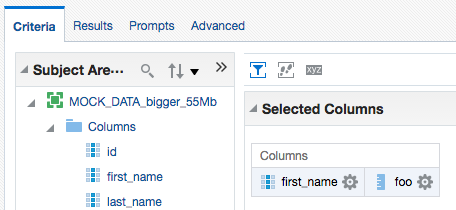
First up, I’ll build a query in Answers with a couple of the columns:
| This post originally appeared on the Rittman Mead blog. |