| This post originally appeared on the Rittman Mead blog. |
New in Big Data Discovery 1.2 is the addition of BDD Shell, an integration point with Python. This exposes the datasets and BDD functionality in a Python and PySpark environment, opening up huge possibilities for advanced data science work on BDD datasets. With the ability to push back to Hive and thus BDD data modified in this environment, this is important functionality that will make BDD even more useful for navigating and exploring big data.
Whilst BDD Shell is command-line based, there’s also the option to run Jupyter Notebooks (previous iPython Notebooks) which is a web-based interactive "Notebook". This lets you build up scripts exploring and manipulating the data within BDD, using both Python and Spark. The big advantage of this over the command-line interface is that a 'Notebook' enables you to modify and re-run commands, and then once correct retain them as a fully functioning script for future use.
The Big Data Lite virtual machine is produced by Oracle for demo and development purposes, and hosts all the components that you’d find on the Big Data Appliance, all configured and integrated for use. Version 4.5 was released recently, which included BDD 1.2.
For information how on to set up BDD Shell and Jupyter Notebooks, see this previous post. For the purpose of this article I’m running Jupyter on port 18888 so as not to clash with Hue:
cd /u01/bdd/v1.2.0/BDD-1.2.0.31.813/bdd-shell
/u01/anaconda2/bin/jupyter-notebook --port 18888
Important points to note:
-
It’s important that you run this from the
bdd-shellfolder, otherwise the BDD shell won’t initialise properly -
Jupyter by default only listens locally, so you need to use a web browser local to the server, or use port-forwarding if you want to access Jupyter from your local web browser.
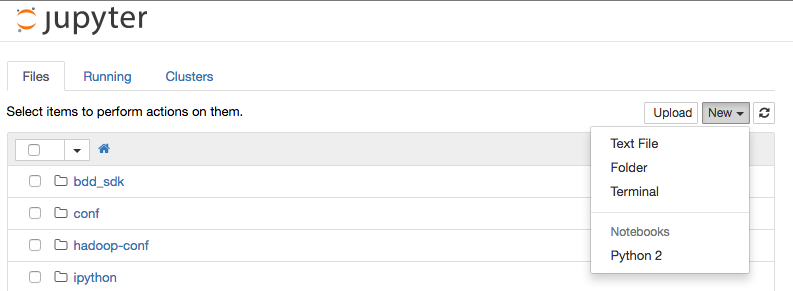
Go to http://localhost:18888 in your web browser, and from the New menu select a Python 2 notebook:
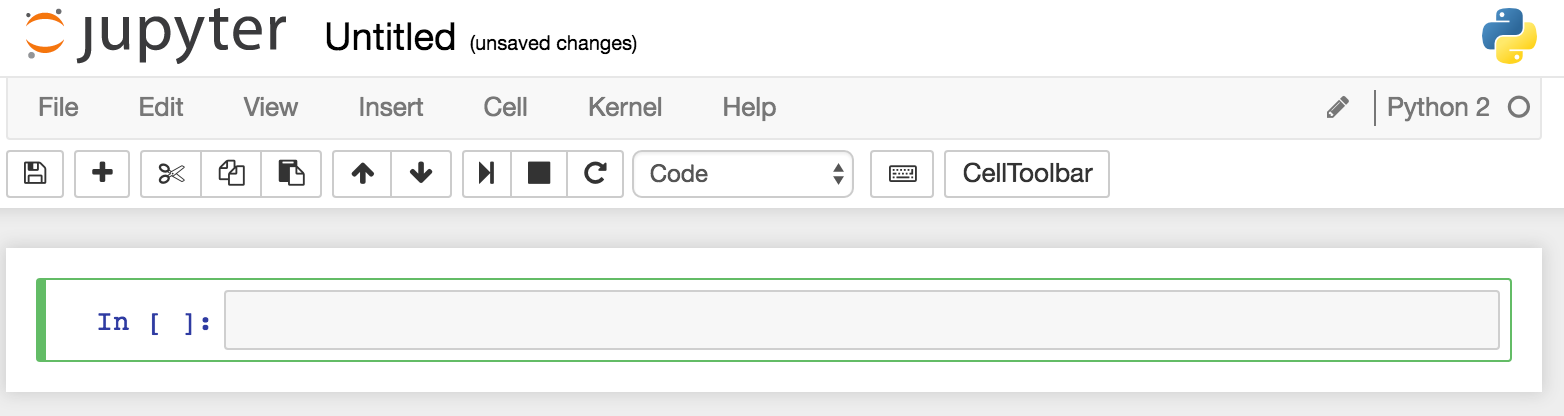
You should then see an empty notebook, ready for use:
| This post originally appeared on the Rittman Mead blog. |