
| This post originally appeared on the Rittman Mead blog. |
To use Data Visualisation Desktop (DVD) with data from Google Analytics or Google Drive, you need to set up the necessary credentials on Google so that DVD can connect to it. You can see a YouTube of this process on this blog here.
Before starting, you need a piece of information from Oracle DVD that will be provided to Google during the setup. From DVD, create a new connection of type Google Analytics, and make a note of the the provided redirect URL:
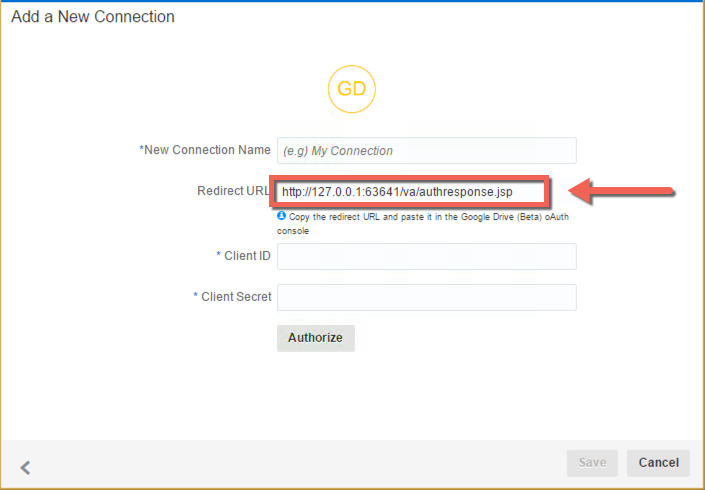
Once you have this URL, you can go and set up the necessary configuration in Google. To do this, go to https://console.developers.google.com/ and sign in with the same Google credentials as have acces to Google Analytics.
Then go to https://console.developers.google.com/iam-admin/projects and click on Create Project
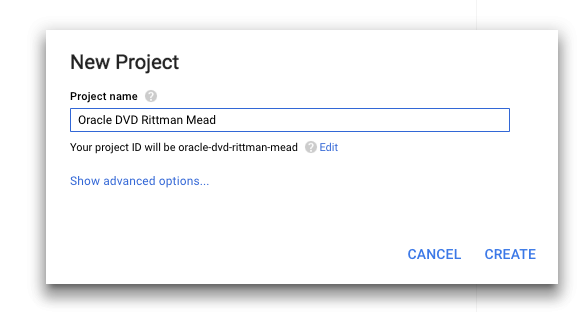
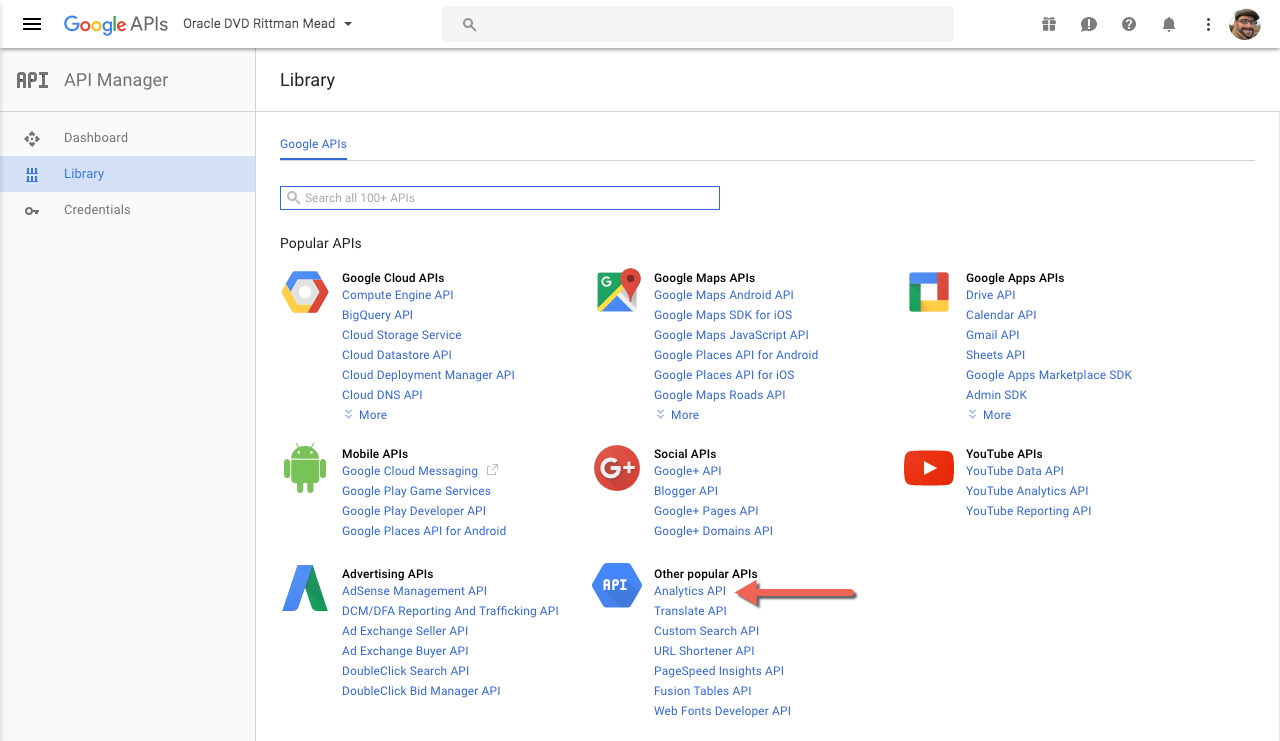
Having created the project, we now need to make available the necessary APIs to it, after which we will create the credentials. Go to https://console.developers.google.com/apis/ and click on Analytics API
| This post originally appeared on the Rittman Mead blog. |