
| This post originally appeared on the Rittman Mead blog. |
It’s Monday morning. I’ve arrived at a customer site to help them - ironically enough - with automating their OBIEE code management. But, on arrival, I’m told that the OBIEE team can’t meet with me because someone did a release on the previous Friday, had now gone on holiday - and the wrong code was released but they didn’t know which version. All hands-on-deck, panic-stations!
This actually happened to me, and in recent months too. In this kind of situation hindsight gives us 20:20 vision, and of course there shouldn’t be a single point of failure, of course code should be under version control, of course it should be automated to reduce the risk of problems during deployments. But in practice, these things often don’t get done - and it’s understandable why. In the very early days of a project, it will be a manual process because that’s what is necessary as people get used to the tools and technology. As time goes by, project deadlines come up, and tasks like this are seen as "zero sum" - sure we can automate it, but we can also continue doing it manually and things will still get done, code will still get released. After a while, it’s just accepted as how things are done. In effect, it is technical debt - and this is your reminder that debt has to be paid, sooner or later :)
I’ll not pretend that managing OBIEE code in source control, and automating code deployments, is straightforward. But, it is necessary, so in this post I’ll walk through why you should be doing it, and then importantly how.
Why Source Control? 🔗
Do we really need source control for OBIEE? After all, what’s wrong with the tried-and-tested method of sticking it all in a folder like this?
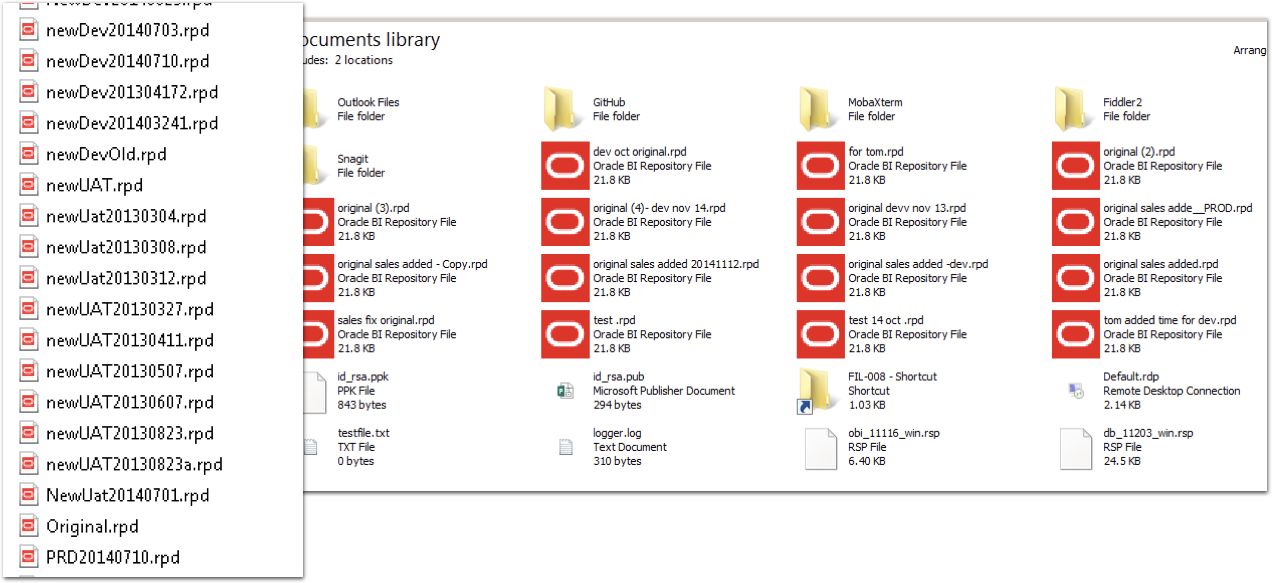
What’s wrong with this? What’s right with this? Oh lack of source control, let me count the number of ways that I doth hate thee:
-
No audit trail of who changed something
-
No audit of what was changed, and when
-
No enforceable naming standards for versions
-
No secure way of identifying deployment candidates
-
No distributed method for sharing code (don’t tell me that a network share counts!)
-
No way of reliably identifying the latest version of code
These range from the immediately practical through to the slightly more abstract but necessary in a mature deployment.
Of immediate impact is the simply ability to identify the latest version of code on which to make new changes. Download the copy from the live server? Really? No. If you’re tracking your versions accurately and reliably then you simply pull the latest version of code from there, in the knowledge that it is the version that is live. No monkeying around trying to figure out if it really is (just because it’s called "PROD-091216.rpd" how do you know that’s actually what got released to Production? And was that on 12th December or 9th September? Who knows!).
Longer term, having a secure and auditable code line simply makes it easier and less risky to manage. It also gives you the ability to work with it in a much more flexible manner, such as genuine concurrent development by multiple developers against the RPD. You can read more about this in my presentation here.
Which Source Control? 🔗
I don’t care. Not really. So long as you are using source control, I am happy.
For preference, I always advocate using git. It is a modern platform, with strong support from many desktop clients (SourceTree is my favourite, along with the commandline too, natch). Git is decentralised, meaning that you can commit and branch code locally on your own machine without having to be connected to a server. It supports a powerful fork and pull process too, which is part of the reason it has almost universal usage within the open source world. The most well known of git platforms is github, which in effect provides git as a Platform-as-a-service (PaaS), in a similar fashion to Bitbucket too. You can also run git on its own locally, or more pragmatically, with gitlab.
But if you’re using Subversion (SVN), Perforce, or whatever - that’s fine. The key thing is that you understand how to use it, and that it is supported within your organisation. For simple source control, pretty much all the common platforms work just fine. If you get onto more advanced use, such as feature-branches and concurrent development, you may find it worth ensuring that your chosen platform supports the workflow that you adopt. Even then, whilst I’d chose git for preference, at Rittman Mead we’ve helped clients develop very powerful concurrent development processes with Subversion providing the underlying source control.
What Goes into Source Control? Part 1 🔗
So you’ve drunk the Source Control koolaid, and accepted that really there is no excuse not to use it. So what do you put into it? The RPD? The OBIEE 12c BAR file? What if you’re still on OBIEE 11g? The answer here depends partially on how you are planning to manage code deployment in your environment. For a fully automated solution, you may opt to store code in a more granular fashion than if you are simply migrating full BAR files each time. So, read on to understand about code deployment, and then we’ll revisit this question again after that.
How Do You Deploy Code Changes in OBIEE? 🔗
The core code artefacts are the same between OBIEE 11g and OBIEE 12c, so I’ll cover both in this article, pointing out as we go any differences.
The biggest difference with OBIEE 12c is the concept of the "Service Instance", in which the pieces for the "analytical application" are clearly defined and made portable. These components are:
-
Metadata model (RPD)
-
Presentation Catalog ("WebCat"), holding all analysis and dashboard definitions
-
Security - Application Roles and Policy grants, as well as OBIEE front-end privilege grants
Part of this is laying the foundations for what has been termed "Pluggable BI", in which 'applications' can be deployed with customisations layered on top of them. In the current (December 2016) version of OBIEE 12c we have just the Single Service Instance (ssi). Service Instances can be exported and imported to BI Archive files, known as BAR files.
The documentation for OBIEE environment migrations (known as "T2P" - Test to Production) in 12c is here. Hopefully I won’t be thought too rude for saying that there is scope for expanding on it, clarifying a few points - and perhaps making more of the somewhat innocuous remark partway down the page:
PROD Service Instance metadata will be replaced with TEST metadata.
Hands up who reads the manual fully before using a product? Hands up who is going to get a shock when they destroy their Production presentation catalog after importing a service instance?…
Let’s take walk through the three main code artefacts, and how to manage each one, starting with the RPD.
The RPD 🔗
The complication of deployments of the RPD is that the RPD differs between environments because of different connection pool details, and occassionally repository variable values too.
If you are not changing connection pool passwords between environments, or if you are changing anything else in your RPD (e.g. making actual model changes) between environments, then you probably shouldn’t be. It’s a security risk to not have different passwords, and it’s bad software development practice to make code changes other than in your development environment. Perhaps you’ve valid reasons for doing it… perhaps not. But bear in mind that many test processes and validations are based on the premise that code will not change after being moved out of dev.
With OBIEE 12c, there are two options for managing deployment of the RPD:
-
BAR file deploy and then connection pool update
-
Offline RPD patch with connection pool updates, and then deploy
-
This approach is valid for OBIEE 11g too
==== RPD Deployment in OBIEE 12c - Option 1
-
This is based on the service instance / BAR concept. It is therefore only valid for OBIEE 12c.
-
One-off setup : Using
listconnectionpoolto create a JSON connection pool configuration file per target environment. Store each of these files in source control. -
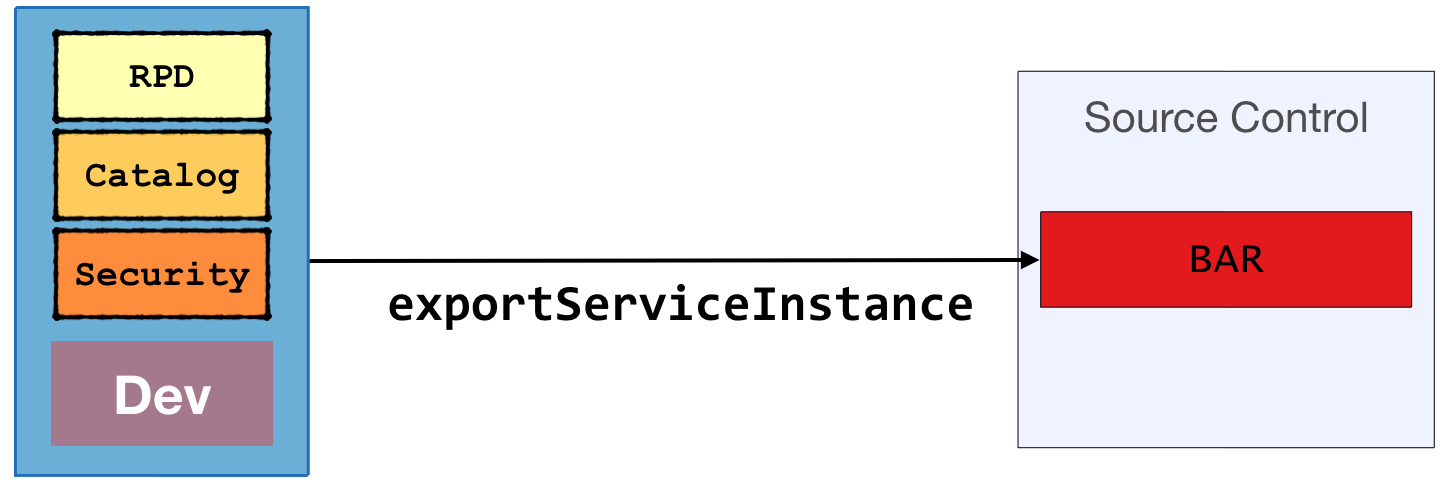
Once code is ready for promotion from Development, run
exportServiceInstanceto create a BAR file. Commit this BAR file to source control/app/oracle/biee/oracle_common/common/bin/wlst.sh <<EOF exportServiceInstance('/app/oracle/biee/user_projects/domains/bi/','ssi','/home/oracle','/home/oracle') EOF
| This post originally appeared on the Rittman Mead blog. |