| This post originally appeared on the Decodable blog. |
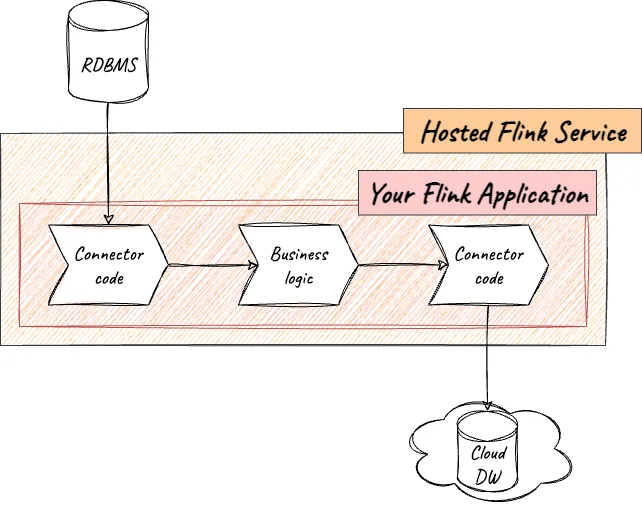
Amazon Managed Service for Apache Flink (MSF) is one of several providers of hosted Flink. As my colleague Gunnar Morling described in his recent article , it can be used to run a Flink job that you’ve written in Java or Python (PyFlink). But did you know that this isn’t the only way—or perhaps even the best way—to have your Flink jobs run for you?
Here at Decodable, we offer a fully managed real-time data platform, as part of which you can run your own Flink jobs. With support for both Java and PyFlink jobs, Decodable provides a much more straightforward user experience compared to MSF whilst retaining the full power and feature set of Flink.
To run a Flink job on Decodable, you simply upload its artifacts directly through our web interface (no messing about with S3 buckets to stage your code). We also have full declarative resource management support within our CLI tool so that you can perfectly integrate with your SDLC processes including CI/CD pipelines.
If this sounds appealing, then the good news is that moving your Flink jobs from MSF to Decodable is a straightforward lift-and-shift process. What’s more, Decodable is on the AWS Marketplace , meaning that you can use your existing AWS credits whilst benefiting from the very best-of-breed, fully-managed Flink service!
The Migration Process 🔗
-
Download from the S3 bucket the code currently running in your MSF Flink application
aws s3 cp s3://your_bucket/your_code.jar ~/your_code.jar -
Sign up for a free Decodable account
-
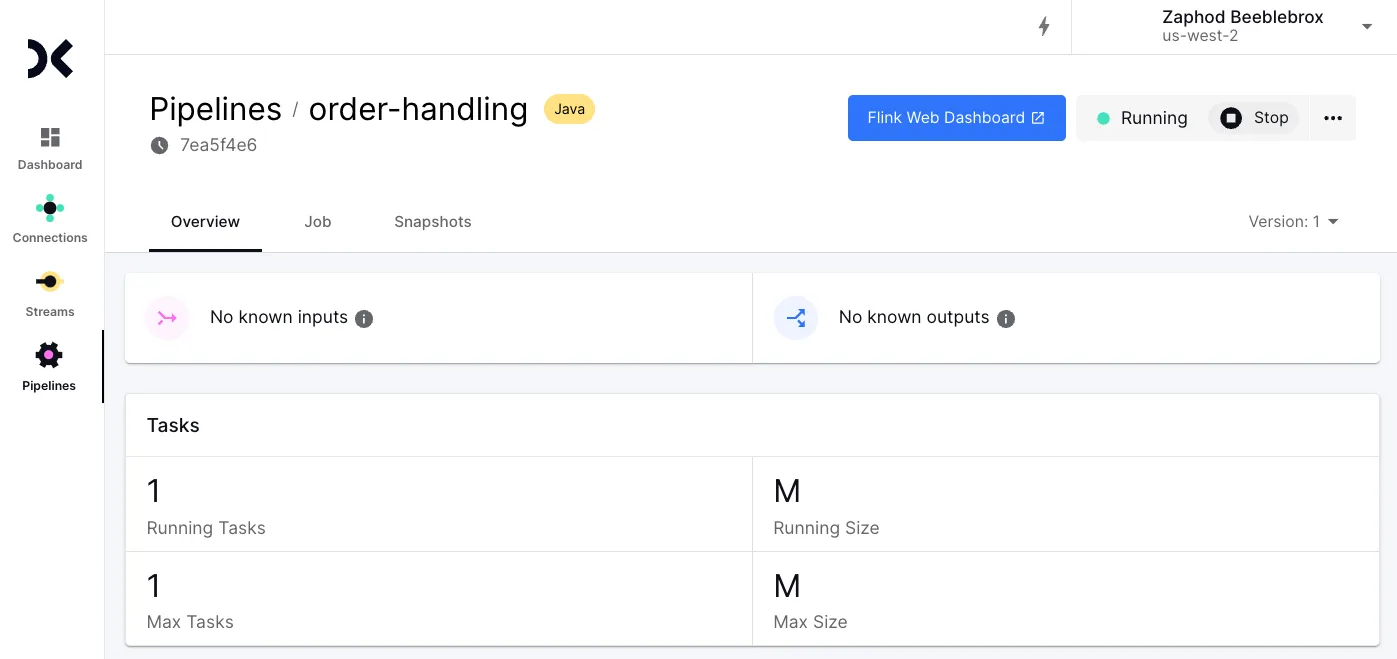
Create a Custom Pipeline , then upload your code when prompted
-
Hit Start to start your pipeline
-
Profit!
Of course, it would be somewhat disingenuous to suggest that this is all there is to it. It’s close, but there are a few details that you’ll want to take care of along the way.
Code Changes 🔗
Handling Secrets 🔗
Chances are you’ll have credentials you wouldn’t want to hard-code into your Flink application. Amazon MSF has its own way of handling credentials for Flink applications , including using the AWS Secrets Manager.
When running your Flink application on Decodable, you use Decodable’s support for secrets . Once created, these secrets can be accessed directly on the filesystem from your code, or using the Decodable SDK .
Runtime Configuration 🔗
There are parameters that your application will use at runtime that may be specific to an environment. For example, in development, the host or schema of a database being accessed may differ from that used when the application runs in production. Instead of hardcoding this into your Flink application and having to recompile it for each environment (which adds additional complexity and opportunity for mistakes to arise), you would define these as runtime variables.
In Amazon MSF, runtime configuration is available through runtime properties .
The configuration is then accessed in your application as detailed in the docs .
In Decodable, you pass configuration values to your Flink application using configuration files .
After creating one or more configuration files and adding them to your pipeline, you can access these properties from within your Flink application by reading them from the filesystem under /opt/pipeline-config.
Since it’s just a file, you can use any configuration library or custom code.
Job Arguments 🔗
With Decodable, along with configuration files, you can also pass arguments to your Flink job.
You might use job arguments to specify an environment. For example, you can pass an argument to your application to ignore test data. Another use might be to give your application the ability to reset and ignore existing data.
This is done with the Job arguments setting for your custom pipeline. These can be read by your application using Flink’s ParameterTool class ._ _Using job arguments also has the nice advantage that your job behaves the same during local testing as when you run it in the managed service environment—without requiring any special handling as is required on Amazon MSF .
Operations 🔗
Logging 🔗
While logs are typically consumed via Amazon CloudWatch when running Flink jobs on Amazon MSF, Decodable offers access to logs through a CLI . Access to the Flink web interface is also available while running jobs on Decodable, in case you have operational workflows relying on this access.
Metrics 🔗
Metrics are written to a stream in Decodable, which you can preview from the CLI or web interface. _You can also use the stream as an input to one of the many pre-built connectors that Decodable offers and then route the metric data to an external system such as Datadog .
Handling State (Savepoints) 🔗
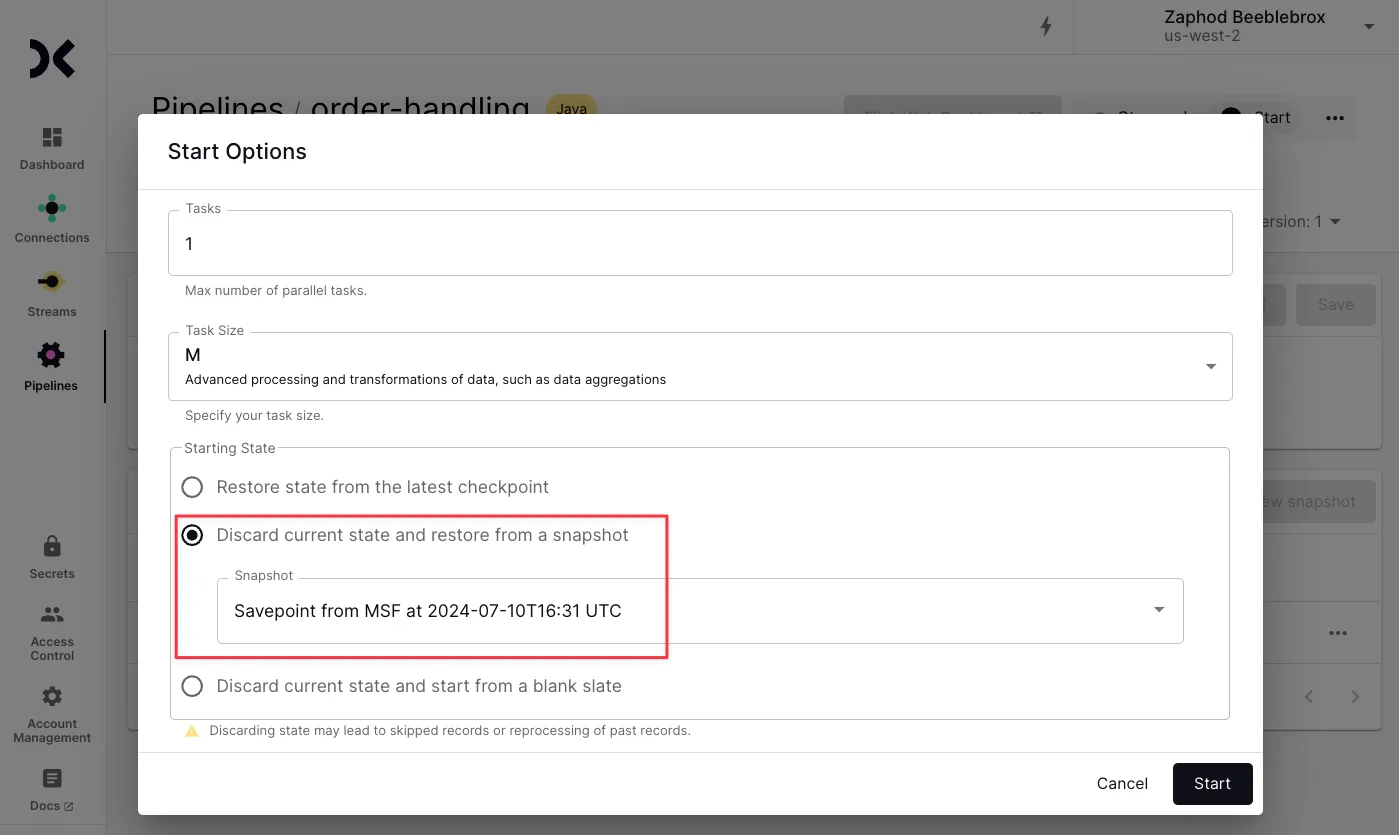
The state of a Flink application is preserved when the application is stopped as a savepoint. This can be used for rolling back after a processing error or bad data, as well as part of a migration process.
Decodable supports savepoints for Flink jobs and automatically creates one when you stop a job. Amazon MSF refers to save points as snapshots .
As part of the migration process of a production Flink application from Amazon MSF, you would typically do the following:
-
Ensure that automatic snapshot creation is enabled or take a manual snapshot of your application’s state
-
Stop the Flink application on Amazon MSF
-
Download the snapshot from Amazon MSF
-
Upload the snapshot to Decodable
-
Start the Flink application on Decodable
Is lift-and-shift the only route? 🔗
Just like you can lift-and-shift your on-premises deployments to run on cloud VMs, the same applies to your Flink application. That said, the most successful migrations are those that make full use of specific services that the cloud has to offer. Moving your Flink workload to Decodable will immediately give you the benefit of a more streamlined and powerful user experience; this shift can also be an opportunity to reevaluate your application design.
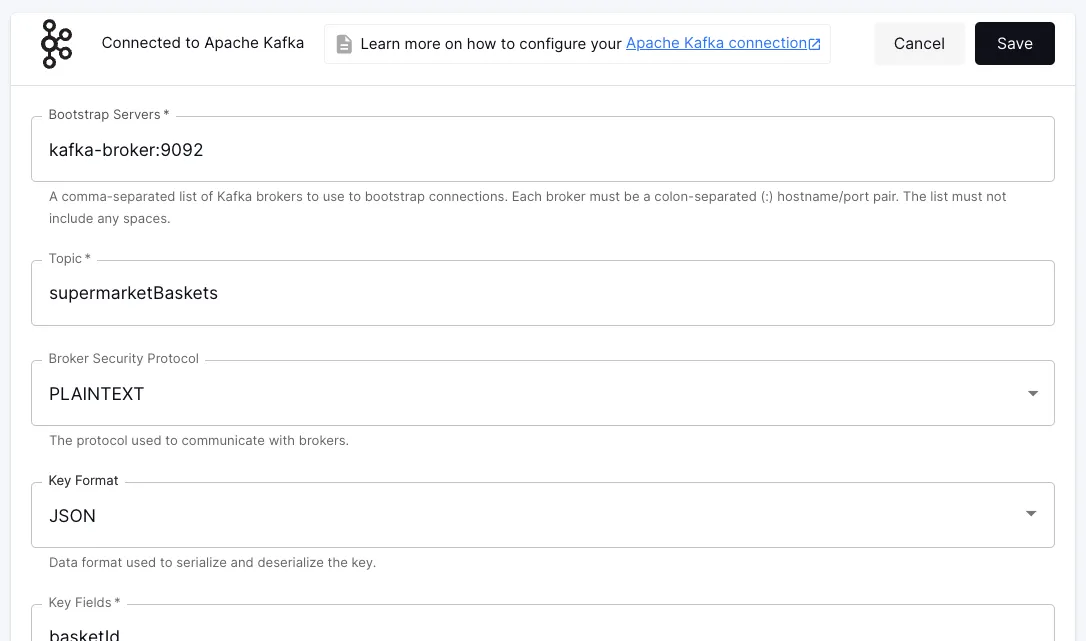
For example, maintaining code within your application to run connectors is unnecessary overhead that’s not adding any business value. The connector adds to the footprint of your code, needs testing each time you touch the code, may introduce conflicts between the transitive dependencies of different connectors, and each time the connector needs upgrading, you have to go through the whole application release process.
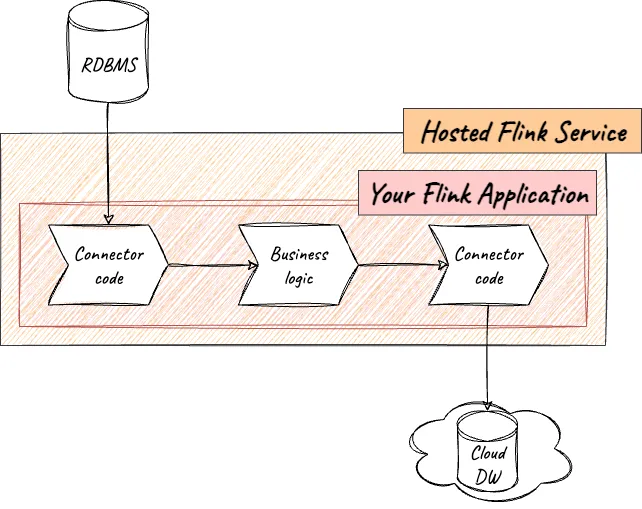
Unlike MSF, Decodable offers connectors as first-class resources, and using them just requires populating configuration settings:
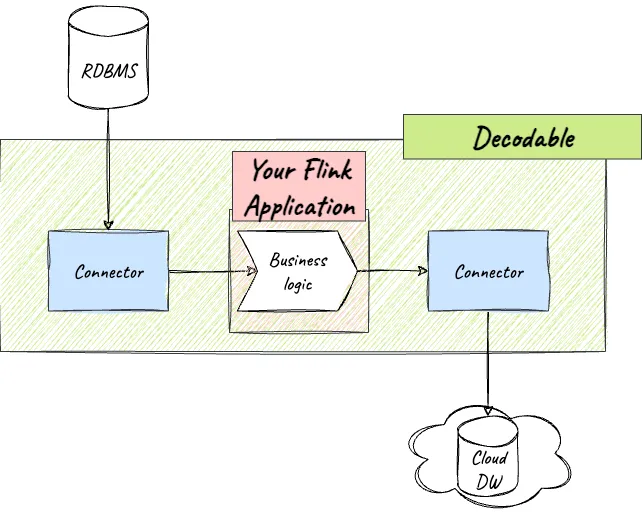
The resulting stream from a source connector can then be processed by your Flink application (using the provided SDK ) to apply the unique business logic that provides value to your business. Similarly, if you want to send data from Flink to another system, you just write this to a stream in Decodable and use one of the many out-of-the-box provided sink connectors.
Wrapping Up 🔗
Running your Flink jobs on Decodable gives you the power and flexibility of Apache Flink, coupled with Decodable’s best-of-breed developer experience, expertise, and support. You can bring your jobs straight over or use Decodable’s pre-built connectors to simplify and optimize your code maintenance footprint. With support for both Java and PyFlink (plus SQL on its own, if you’d rather), we’ve got you covered regardless of your developer’s preferred coding language.
Resources 🔗
-
Decoding the Top 4 Real-Time Data Platforms Powered by Apache Flink : Considerations for selecting a platform for ETL and stream processing at scale
-
The Blueprint for Success with Real-time Data : Accelerate your real-time ETL, ELT, and streaming initiatives with Decodable
-
Sign up for your free Decodable account today and give it a try!